Context
Dental practices rely heavily on patient imaging: X-rays, intraoral photos, scans, PDFs, treatment plans, and videos.
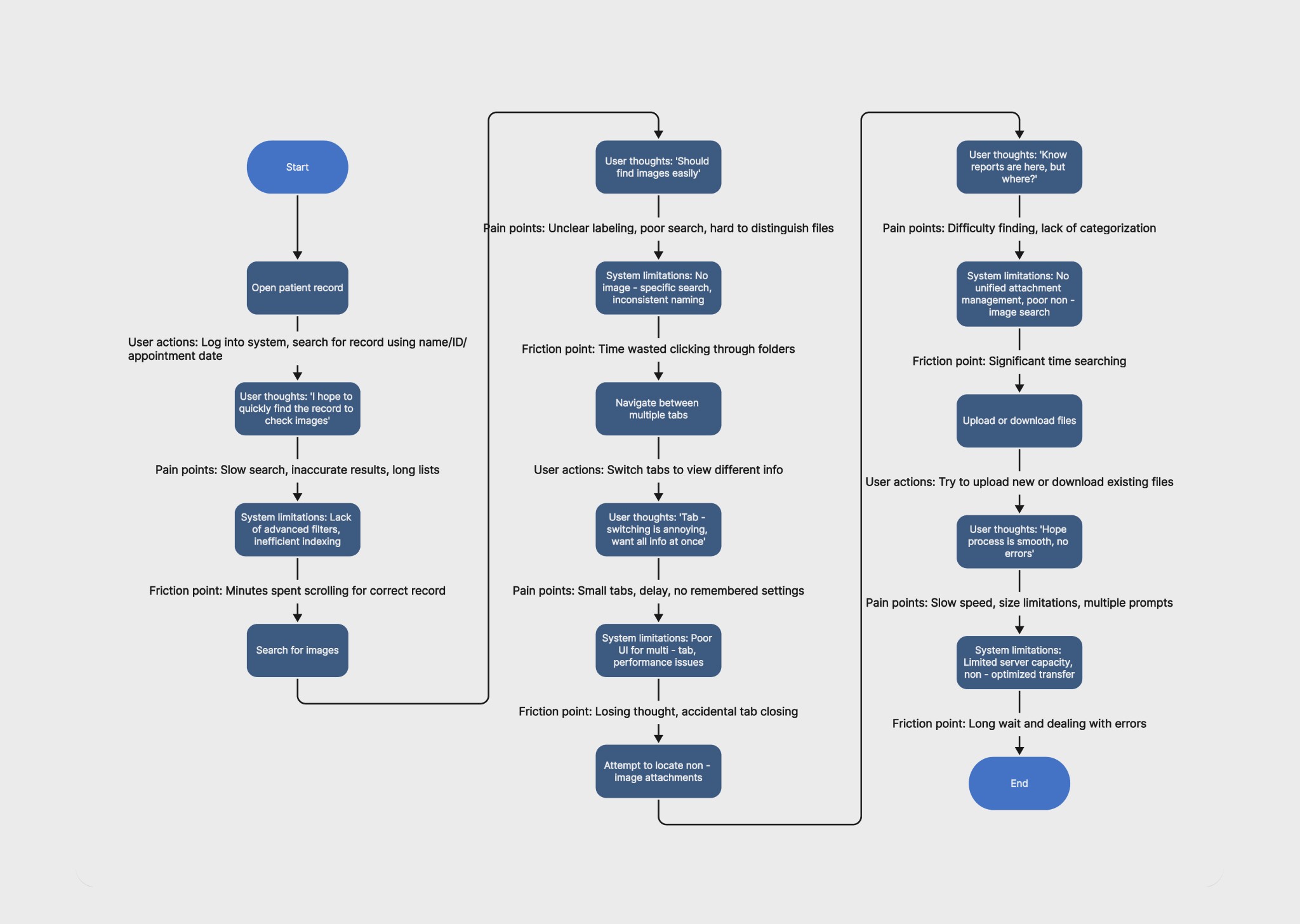
Over time, these assets had become fragmented across multiple tabs and legacy galleries within the platform. Clinicians often had to search through several interfaces just to locate a single image.
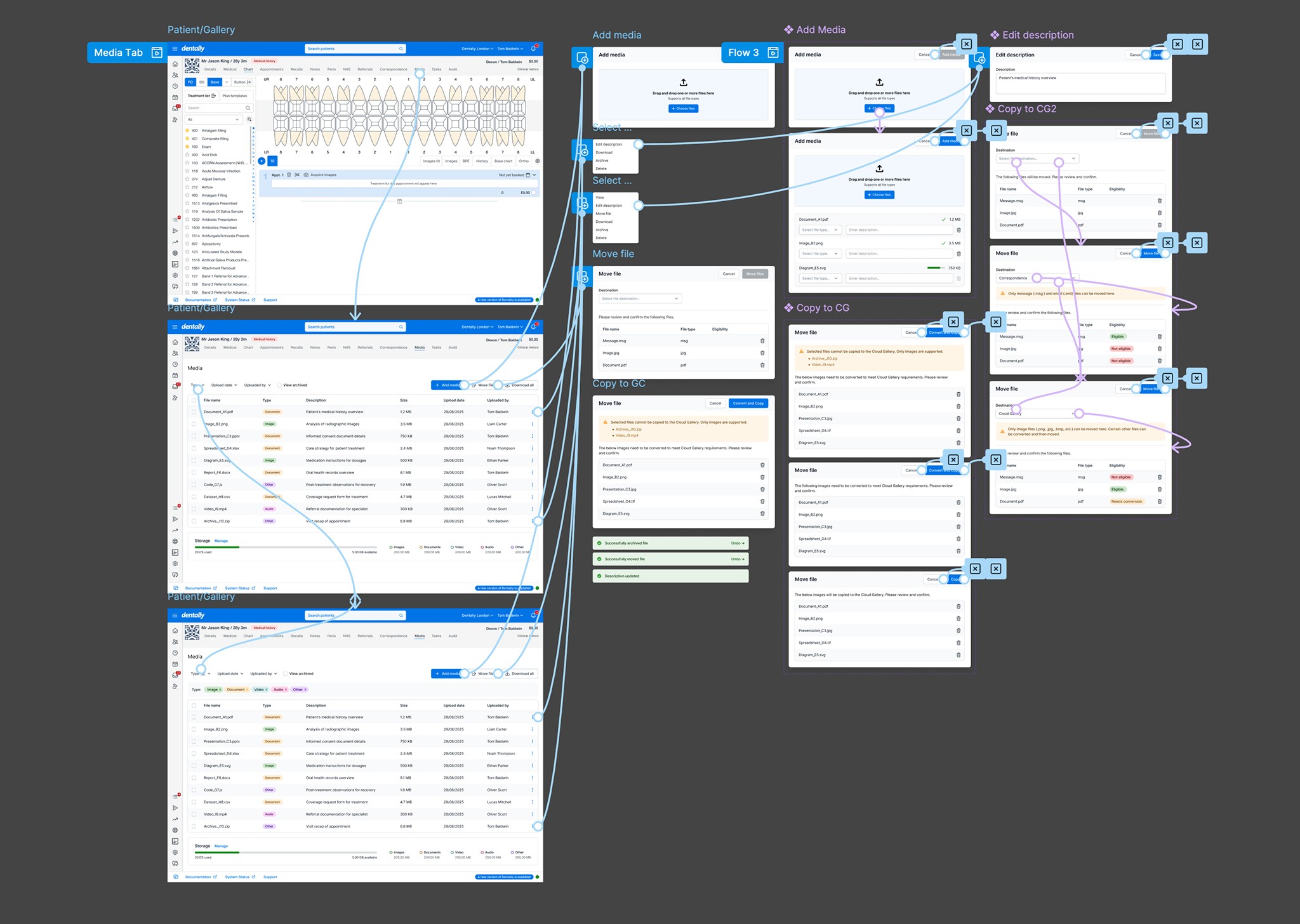
The goal was to create a unified media experience that simplified how clinicians access and manage patient files, while still accommodating legacy data, compliance requirements, and complex migration logic.
The Core Problem
Through early conversations with clinicians and support teams, it became clear the real issue wasn’t the number of files.
It was uncertainty. Clinicians often didn’t know:
where files were stored
which gallery contained what
whether something had been uploaded or migrated yet
This uncertainty created hesitation and slowed down treatment workflows.
Discovery
To better understand the problem, I conducted a mix of research activities:
Workflow shadowing: I observed dentists and support staff during real patient consultations. In several cases, clinicians opened three separate tabs just to confirm whether a scan had been uploaded.
Support ticket analysis: Support teams shared recurring requests around:
missing images
export requests
file upload confusion
Interface audit: Mapping the platform revealed four different ways to access patient media, each built at different times in the product’s history.
Design Hypothesis
Instead of improving individual galleries, I proposed a more radical approach:
Create a single media surface where every patient file lives.
If clinicians could stay within one consistent space, they would spend less time searching and more time treating patients.
Exploration & Iteration
Several structural approaches were explored.
Direction 1: Separate Galleries: Images and attachments were kept in different sections. This preserved existing mental models but did not eliminate switching behaviour.
Direction 2: Tabbed Media Hub: A single hub with tabs for: images, documents, scans and videos. While clearer, clinicians still had to guess which tab contained a file.
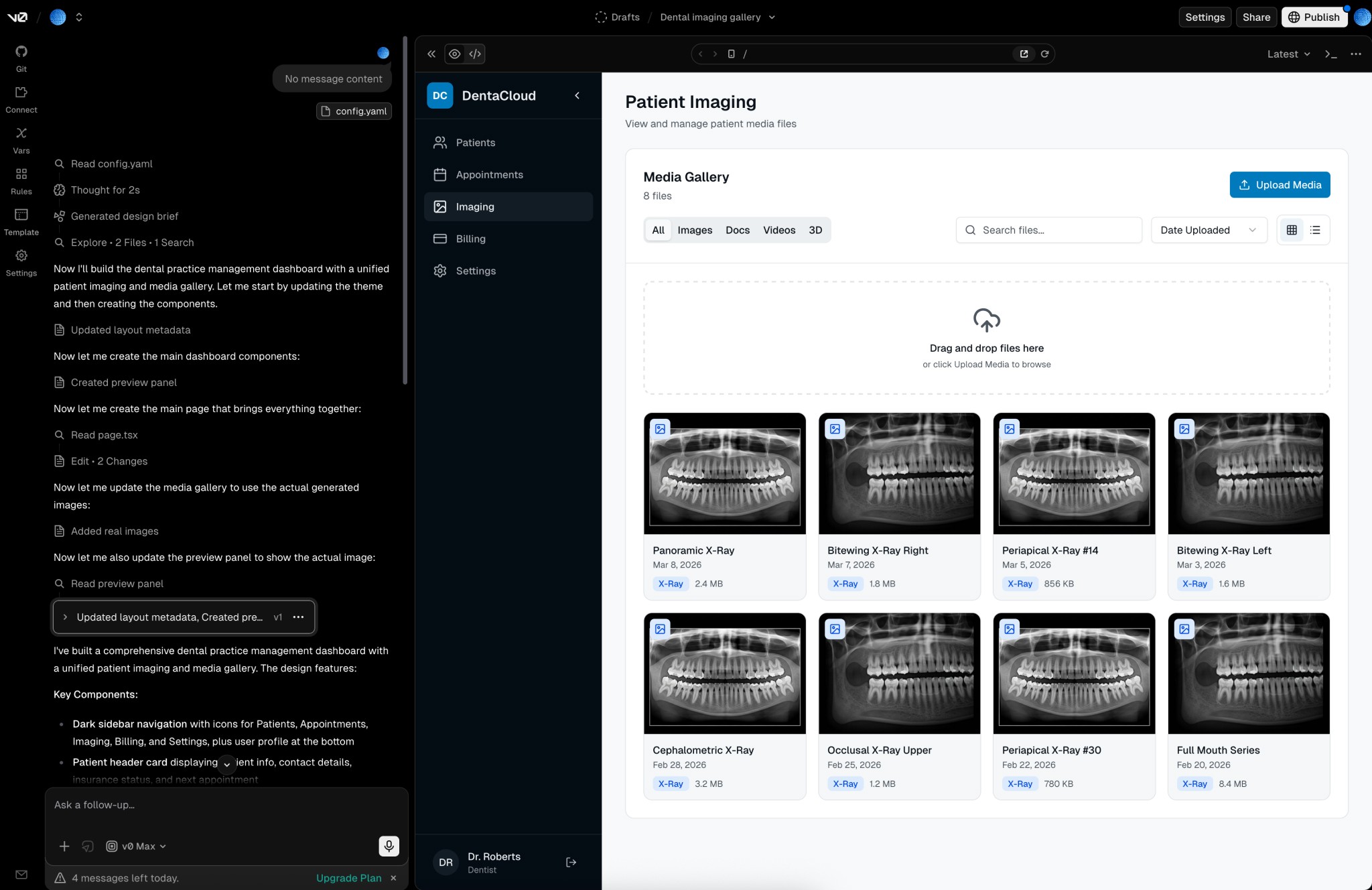
Direction 3: Unified Gallery (Chosen Direction): All files displayed within a single gallery, with powerful filtering and inline previews. This approach removed the need for users to understand file categories ahead of time. Instead, they could simply search or filter when needed.
AI-Augmented Design Workflow
To accelerate iteration and explore structural ideas quickly, I integrated AI tools into the design process.
Cursor: Used to generate variations of component structures that aligned closely with the front-end framework used by the engineering team. This allowed me to quickly test:
gallery grid variations
preview interactions
filtering behaviours
v0: Used to generate quick UI scaffolds that helped visualise layout ideas before committing to detailed Figma work. This made it possible to explore multiple interface directions rapidly.
AI-assisted UX writing: I used LLM prompts to explore alternative ways of presenting:
upload instructions
file type labels
error states
These drafts were then refined manually to ensure clarity for clinicians.
Collaboration with Engineering
The biggest technical constraint involved legacy data migration. Images were being moved from older storage systems into a new cloud-based architecture.
To prevent disruption during this process, we designed UI states that communicated system activity without exposing underlying complexity. Examples included:
migration indicators
file availability states
upload progress visibility
This ensured clinicians always felt confident that files were accessible.
Final Experience
The redesigned gallery introduced:
• a single media hub for all patient files
• advanced search and filtering
• inline previews for PDFs, scans, and videos
• a simplified upload workflow for non-dentist staff
The system reduced the need for clinicians to switch contexts during treatment.
Impact
Post-launch analytics via Mixpanel and usability studies showed clear improvements:
navigation time reduced by ~40%
file discovery time reduced from ~90 seconds to under 30 seconds
daily usage of the gallery increased by 35%
support tickets related to missing files dropped by ~25%
Reflection
This project reinforced how powerful structural simplicity can be.
By focusing less on organising files and more on reducing uncertainty, we were able to design an experience that felt effortless despite significant technical complexity.